
Dùng dịch vụ NAS trên Buffalo
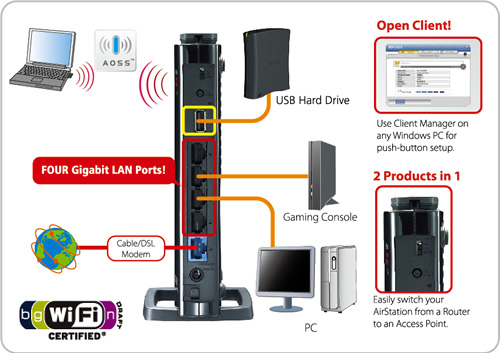
Network-attached storage (NAS) là dịch vụ chia sẽ dữ liệu thông qua mạng IP. Bạn có thể hiểu nôm na là Ổ cứng mạng. Trên Buffalo WZR-HP-300NH nếu bạn triển khai NAS, người dùng có thể truy cập file bất cứ nơi đâu bằng wifi hoặc mạng cục bộ.
Với vài thao tác đơn giản bạn sẽ biến Buffalo thành ổ cứng mạng:
1. Up firmware hổ trợ NAS tại đây
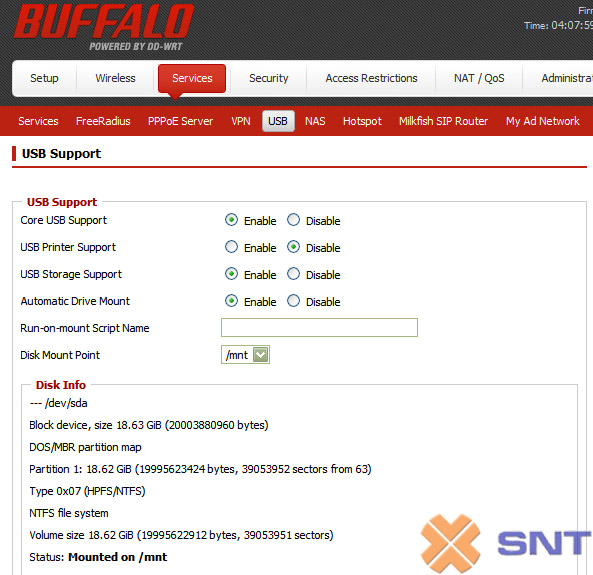
2. Enable cổng USB; Service > USB > Enable: Core USB Support, USB Storage Support, Automatic Drive Mount
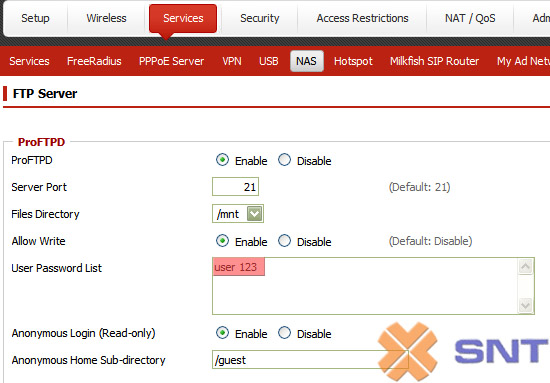
3. Enble NAS; Service > NAS > Enable: ProFTPD. Trong phần User Password List bạn gõ user và pass theo cấu trúc: username password
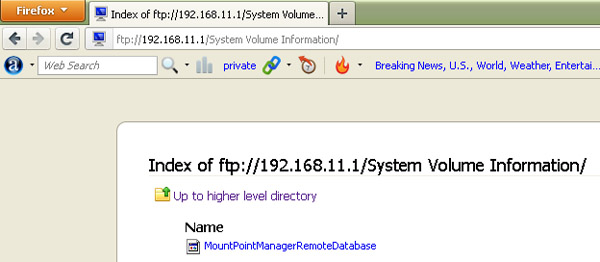
4. Truy cập trên FTP client và Firefox

Firefox:
Chúc bạn thành công! Tham khảo sản phẩm Buffalo tại đây!

hay quá!!!!