
Hướng dẫn Update offline cho KAV 2011
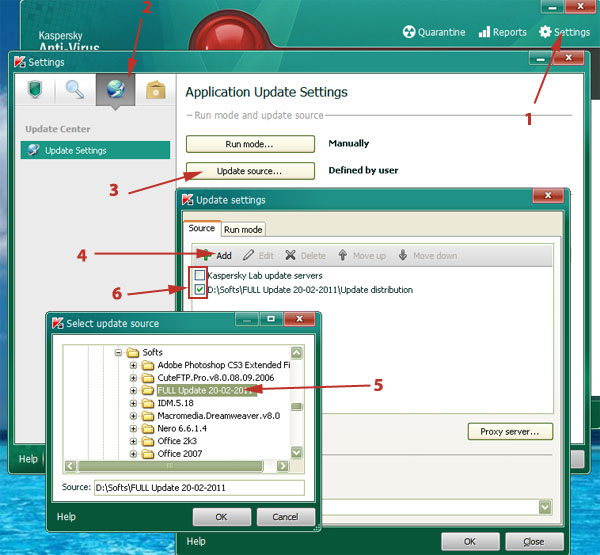
1. Vào Kaspersky, chọn Settings
2. Chọn Update Settings (hình quả cầu)
3. Chọn Update source… – Để chỉ định nơi chứa file update
4. Bấm nút Add (+)
5. Chọn thư mục chứa file update
6. Chọn Source vừa mới add
7. Ok hết tất cả
Pingback: Cập nhật Offline cho KAV/KIS 2010/2011 | SNT